
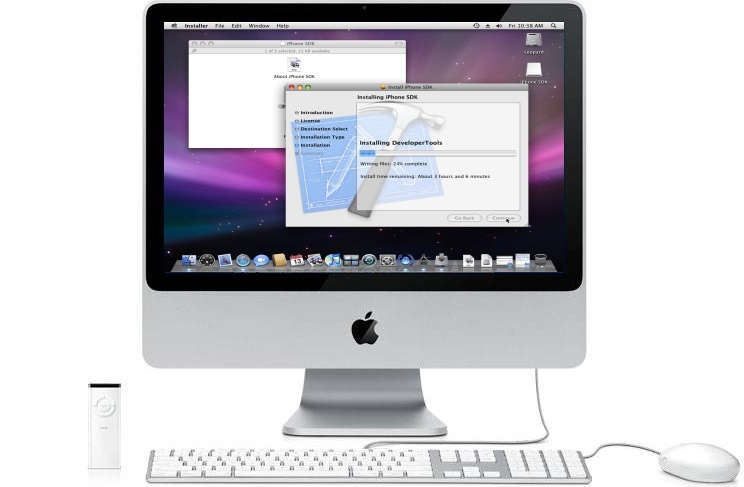
I took advantage of the Apple Store’s 14 day return policy and traded up to a 20" iMac ($1,299 Cdn). I returned the Mac Mini that I purchased two weeks ago.
I’m using the Mac as an iPhone App development platform. The Mac Mini just wasn’t quite enough for my needs.
Extended Desktop
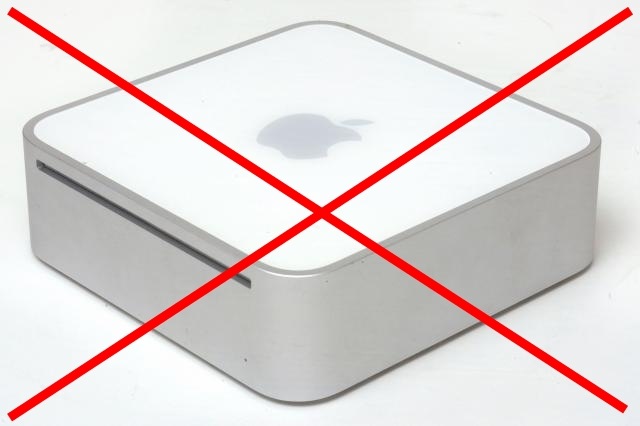 The Mac Mini was gorgeous on, and took full advantage of, the 1920 x 1200 screen resolution of one of my 24" Dell monitors.
 But, you cannot extend the Leopard desktop to a a second monitor with a Mac Mini.
[Update March 3, 2009: The new Mac Mini that came out in the beginning of March 2009 supports dual monitor setups with a Mini DVI port and Mini DisplayPort on the back. With this change it now makes the Mac Mini more suitable for iPhone development. Here are the full new Mac Mini specs.]
I am used to having my Vista desktop extended across four monitors. Having just one monitor on the Mac Mini (even a 24" monitor) was just too small for comfortable application development.
You can extend the iMac desktop to a second monitor and that’s exactly what I’m doing. The iMac has a mini-DVI port on the back for this purpose. I purchased a mini-DVI to VGA dongle and extended the iMac desktop to my second Dell 24" monitor (I switch that monitor back and forth between my iMac and my Dell XPS PC as needed – its my furthest right Dell monitor and to the left of my iMac). For now my XPS Vista machine is plugged into that 24" Dell monitor’s DVI input.
Bigger Hard Drive
While the Mac Mini easily found and accessed my Drobo over my home-office network, the Mac Mini’s internal 80 gig hard drive was too small to be useful. I had it almost full after just 2 weeks of use. [Update March 3, 2009: The smaller new Mac Minis come with 120 GB drives.] Also, the hard drive on the iMac is faster at 7200 RPM compared to the 5400 RPM drive on the Mac Mini.
Considered the 24" iMac
While the 24" iMac looks sweet, to me it wasn’t worth an extra $600 just for:
- 4 more inches of screen real-estate – given that I’m extending its desktop to a 24" Dell desktop;
- a slightly faster processor (2.8 Ghz vs. 2.4 Ghz); and
- double the RAM (2 Gigs vs 1 Gig on the 20" iMac)
The slower processor (1.8 Ghz) and 1 Gig of RAM on the Mac Mini was fast enough for what I needed, so the still faster processor on the 20" iMac will be enough extra gravy for my needs. (see here for the various current iMac spec comparisons). I can always add an extra gig in the future if I need it.
But, I’ll have another 14" days to test this iMac and reconsider the 24" iMac.
802.11n WiFi
I also like the 802.11n WiFi integration. Now that I’m a happy Apple TV user, this may come in handy.
Kudos to the Apple Store
I have to give big kudos to the Apple Store in Toronto’s Eaton Center. I was expecting restocking fees and a third degree interrogation. There was none of that. They happily made the exchange without a single question asked. Now that’s service!


I’m glad that you ended up with the system you wanted, but some of us might argue that you’re actually trading down by ditching Vista for the Mac 😉
I would have said get the MacBook Pro. Just for the added flexibility of being able to develop on the go. Though I suppose you’re not always “on the go”.
Davis:
You can rest assured I’m not ditching Vista. As much as I’m finding the Mac more pleasant than I was expecting … PCs and Vista will be my primary platform of choice for the rest of my life (well, that is until Vista is replaced)
Had there been a way to develop an iPhone App on a PC I would have gone that way.
Jarel:
Ya, for me screen real-estate is the critical thing for development. I just need too many windows open at one time. I thought about a laptop but just knew I’d always be driven crazy without a full-fledged desktop system to work with. And, as you say, I doubt I’d ever do much app development on the road. I have my Thinkpad and iPhone for all my mobile computing needs.
…Dale
I’m replacing my MacBook Pro with a 10″ XP notebook and a 20″ iMac. Not to mention, those items are about half the cost of my MacBook Pro. Davis, the iMac will also run Vista Media Center for me. 😉
Dale, don’t know if you had good help or things are different in Canada but I’m glad you didn’t get hit with the 20% re-stocking fee.
How do you switch between the monitor back and forth between the mac and pc?
I plug a second monitor into the back of my iMac with its mini-DVI port. My Dell 24″ monitor has several inputs in the back. I plug my primary XPS PC into it with a DVI connection and the iMac with the mini-DVI to DVI chord. To switch between the two I just switch inputs with the input select button on the front of my 24″ Dell flat screen monitor.
What did you put on the mini that filled it so quickly? I would think 80gb would be enough room if the machine was only dedicated to iPhone app development.
The primary reason for my moving to the iMac was the lack of multi-monitor support. The 80 Gig limitation was out of general computing principle. I expected that over time I would use it up. I don'tk now what all I downloaded and installed, but since this is my only Mac, I started using some Mac programs. I also started using it for some media stuff that I hadn't done on my PCs. I don't know how much space I've used on my iMac so far but don't have to worry about it because there is more of it 😉
As per my March 3, 2009 update, with the new Mac Mini specs, I would probably go that route if I was starting over now. Though the swirling rainbow pinwheel comes up often enough on my iMac that if I had a Mac Mini, it might start to really anger me. So, I'm not sure.
The primary reason for my moving to the iMac was the lack of multi-monitor support. The 80 Gig limitation was out of general computing principle. I expected that over time I would use it up. I don’tk now what all I downloaded and installed, but since this is my only Mac, I started using some Mac programs. I also started using it for some media stuff that I hadn’t done on my PCs. I don’t know how much space I’ve used on my iMac so far but don’t have to worry about it because there is more of it ;)rnrnAs per my March 3, 2009 update, with the new Mac Mini specs, I would probably go that route if I was starting over now. Though the swirling rainbow pinwheel comes up often enough on my iMac that if I had a Mac Mini, it might start to really anger me. So, I’m not sure.